I haven't had much time to work on the tool, I am tweaking some stuff, have to add mass export models/textures.
Still figure out how to know which texture is assigned to the model :/ so you don't have to extract the model and apply to it different textures to see which one is the right one.
So I should be posting the tool soon, with the ability to extract models and textures from .dat files.
Let's explain a bit how things are stored, here's what the game folders look like:
JSRF files are composed of .dat and .bin, there are different types of file structures for the .dat and .bin files.
.dat files contain models and textures for the most.
.bin files I believe, contain rigging, animations game settings etc
So far I can read .dat for instance "players" and "enemy" folder files, "StgObj" (which are objects of the levels), "Disp" which contains the menus/interfaces models/textures and more you'll just have to try =P
There also are some sound files (.adx) and .grf/.prs etc (I believe for graffitis) along with some others which I am not yet intrested in.
Here's a look at the tool, the files are Tree structures, the .dat I am able to read at the moment .dat files that have different types of blocks "MULT" being the main contains everything, "NORM" contain Models(MDLB) in purple, textures(in orange) or indexing data(in grey).
There's an example of a selected model, I am displaying some information about where the vertex data starts, trianglulation stuff and you can select if you want to extract the model with or without uv maps etc
The models (MDLB) might have many "Parts" usualy the last one has the model and the first ones are cubes which are the position of bones for the rig, for instance for a player model like Beat I'd select the last part to get the body model.
For the players:
-first NORM contains the player visual model splitted in many parts, body, heads (with different expressions), left and right hands.
-another NORM containing models for the physics.
-one last NORM containing models for the "simulated" things such as cloth, hair, chains, tails etc.
Don't be afraid by all those numbers on the tree, these are just offsets, in order to make it simple to program I am using those offsets when you click in one of the tree objects to get the offsets and type of block also because the files don't have names for the models or textures and when exporting I export with the block type and the starting offset, so you can find it again.
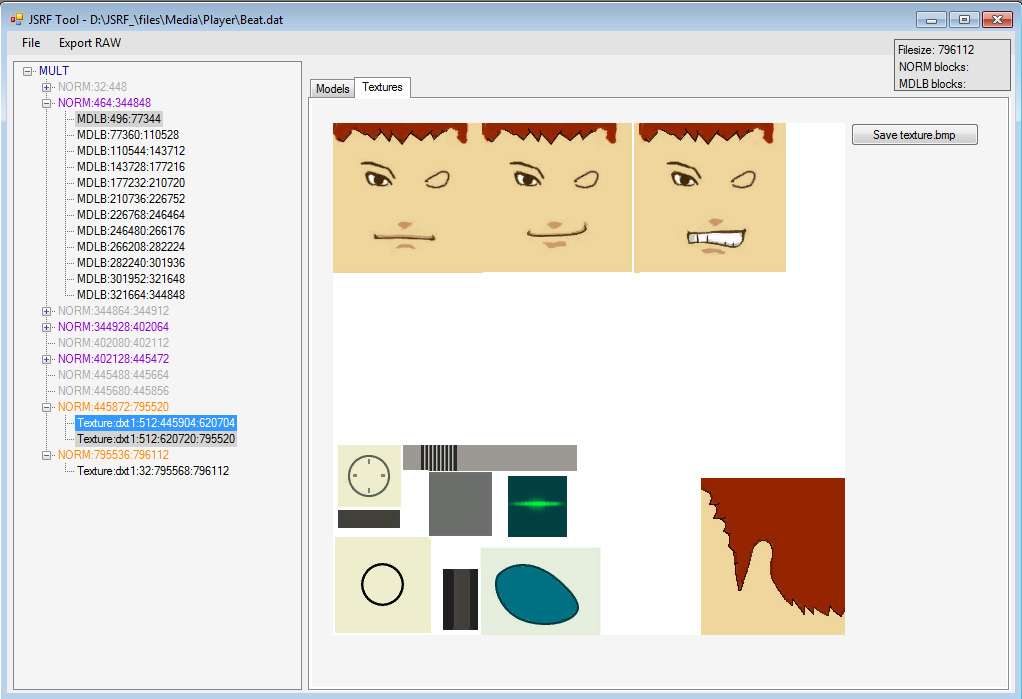
Here's another example with the textures, oh yeah when you select a texture it pops up a console window which calls an external appliaction to convert the texture (DXT DDS) to .bmp, yeah I know kinda lame, that window, but I couldn't find anything better for VB.net =)
That's pretty much it for the player, enemies, vehicle, levels objects model/textures you can extract them in a few clicks.
As for the levels, I am working on that too, the level .dat (in "Stage" folder) don't have MULT or NORM, they are just indexed a little differently, they contain level models which have a different structure from the MDLB and also contain a few MDLBs and the textures of the level.
So get your JSRF files because I'll be posting the Tool soon ready for all models and texture extraction (except levels still working on it)